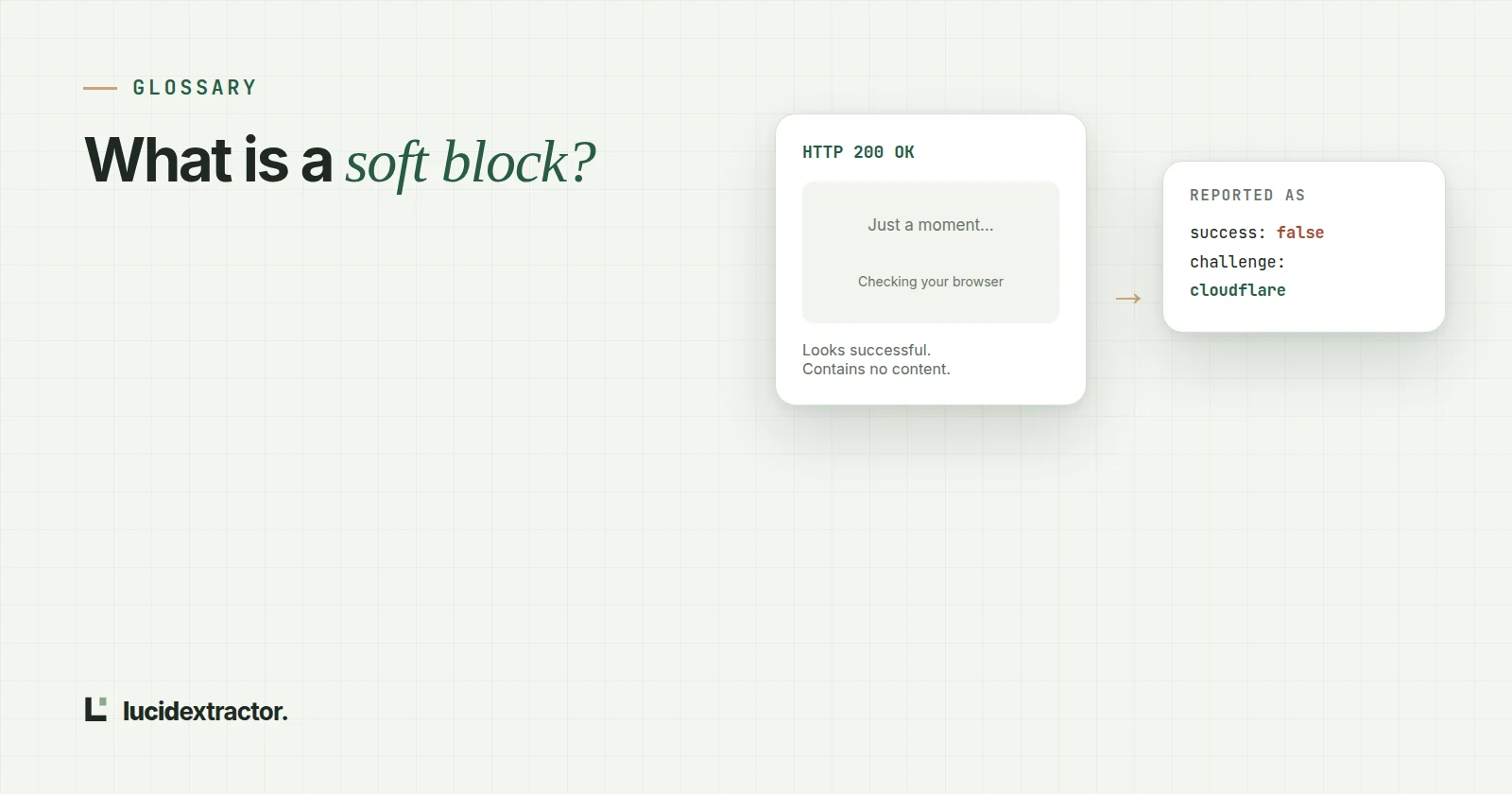
A soft block is when a website answers a scraper with a normal-looking response, often HTTP 200, but the page is a bot challenge, a CAPTCHA, a login wall or an empty JavaScript shell instead of the content you asked for. It is dangerous because nothing errors: the junk flows into your data and your success rate still looks perfect.
Definition
A hard block is the honest version: HTTP 403, 429 or 503 with nothing to misread. Hard blocks are annoying; soft blocks are worse, because they look like data.
What soft blocks look like
| Type | What you receive | How it can be recognised |
|---|---|---|
| Bot challenge interstitial | A "Just a moment..." page that runs a script before showing the site | Vendor markers such as Cloudflare's challenge-platform path, cf-mitigated: challenge, challenge form ids |
| CAPTCHA wall | A short page that is mostly a reCAPTCHA or hCaptcha widget | A CAPTCHA widget plus very little visible text (we use under 600 characters) |
| Login wall | A sign-in form where the content should be | HTTP 401, or 403 with a password field and little else |
| Empty app shell | <div id="root"></div> and a bundle of scripts | Almost no visible text, an app root element or several script bundles |
| Rate-limit notice | "You're making requests too quickly" | HTTP 429 or 503, sometimes with Retry-After |
The last row is not always soft. In a test run this week, Hacker News answered us with HTTP 503 and the sentence "Sorry, we're not able to serve your requests this quickly." The status code was honest; the danger is a pipeline that ignores status codes and keeps the body.
Why success rates hide soft blocks
Most scraping dashboards count a request as successful when it returns HTTP 2xx. A soft block is usually 2xx. So a crawl can report "99% success" while a third of the stored pages say "Checking your browser before accessing...".
Three checks catch most of it:
- Expected fields. If you scrape product pages, a page with no price is not a product page. Count records with required fields, not responses.
- Visible text length. Strip scripts and tags and measure what a reader would see. Real articles have thousands of characters; challenge pages have a few hundred.
- Known markers. Bot-protection vendors leave fingerprints in headers, script paths and element ids. Match those, never bare words: the word "blocked" appears on plenty of normal pages.
Related terms
- Hard block: an explicit refusal (403, 429, 503) with no misleading content.
- Challenge clearance: a cookie a site issues after a browser passes its check; reusing it lets later requests skip the challenge.
- Empty shell (client-rendered page): HTML that only contains a mount point and scripts; the content arrives after JavaScript runs.
- Escalation ladder: trying the cheapest way to fetch a page first and moving to heavier methods only when there is evidence the page needs them.
Frequently asked questions
Is a soft block the same as being banned?
No. A ban is usually a hard block: requests from your IP or account are refused outright. A soft block serves something, just not the content, and often clears up when the request looks like an ordinary browser visit.
Can I detect soft blocks with status codes alone?
No. Many challenge pages and empty app shells return HTTP 200. You need to look at the body: visible text, vendor markers and whether the fields you expect are present.
Try it on a page you care about
500 free credits every month. No card needed, and every feature is included.